Divergently Browsing
Make webpages easier to read, follow and focus on—with tools you control.
A free Chrome extension from Divergently Being. Choose the adjustments that help you read, reduce distractions and keep useful information together.
Coming soon to the Chrome Web Store. Submitted for Google review. The installation link will appear here when the extension is available.
For desktop Chrome 141 or later. No extension account required.
Find your place. Focus on what matters.
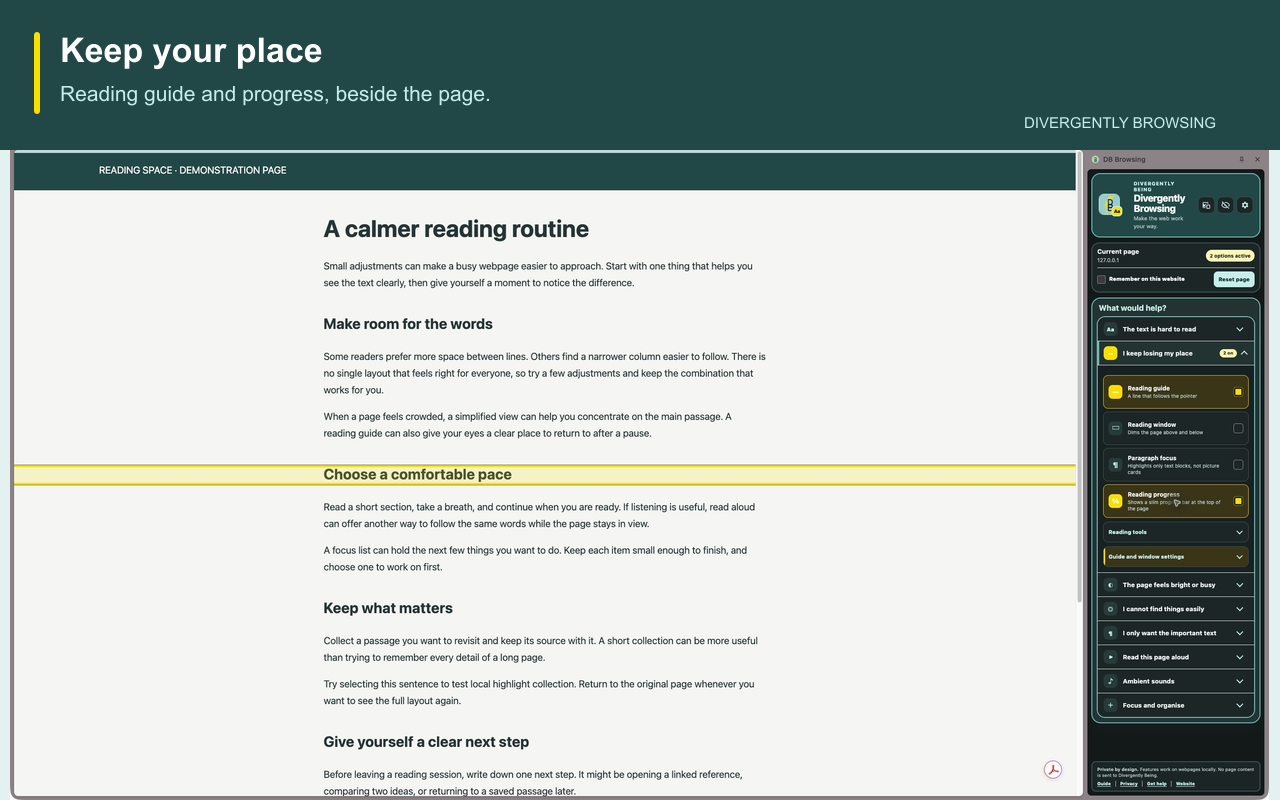
- Keep your place: reading guides, reading windows and a progress indicator.
- Make text work for you: text size, spacing, fonts and reading colours.
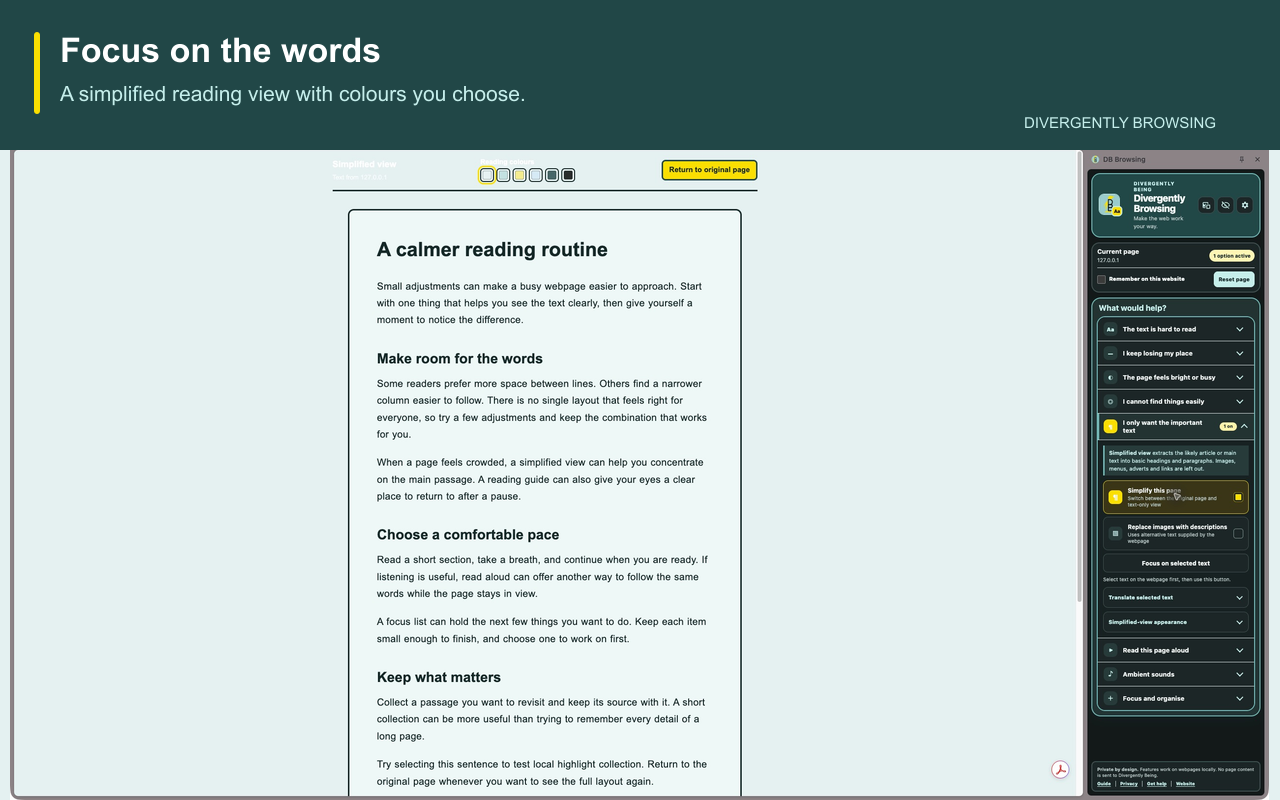
- Reduce the busy bits: simplified view and tools to hide distractions.
- Listen and translate: read aloud, Hover to hear and on-device translation where supported.
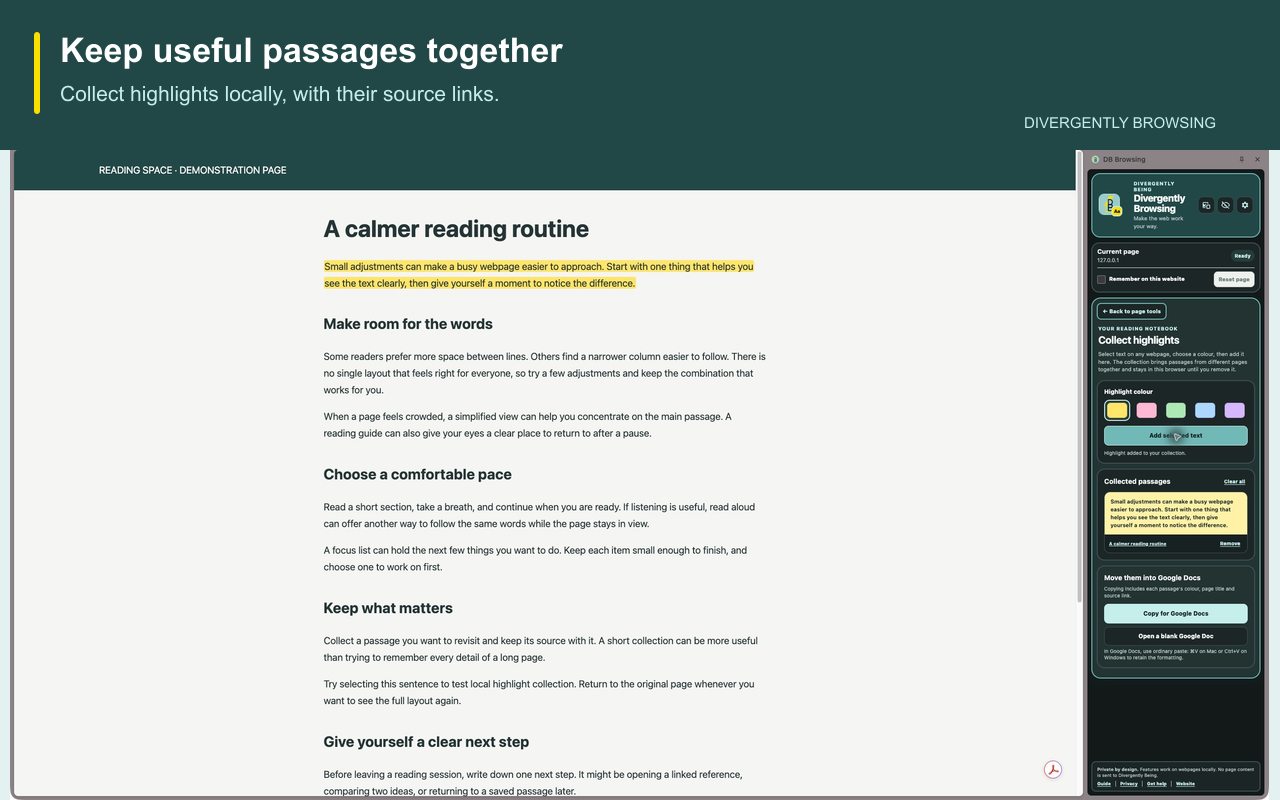
- Keep useful passages: collect highlights with their source links.
Start with one or two tools and adjust them to suit the page and how you feel.
A quick look at the tools
This 21-second overview shows three tools using an example article. It has no audio.
Overview transcript: Keep your place with a reading guide and progress indicator. Switch to simplified view to focus on words, then restore the original page. Collect selected passages with links back to their sources.
See it in use
Keep your place
Focus on the words
Keep useful passages
Your information stays under your control
Webpage tools work locally. Divergently Being does not receive your browsing history, webpage content or saved highlights. Speech voices may have their own provider terms; translation uses Chrome’s on-device tools.
Get started with the user guide
Learn how to choose tools, save your settings, use the floating toolbar and troubleshoot common problems.
Want help making technology work for you?
Explore practical assistive technology training with Divergently Being.
Explore assistive technology trainingFor extension support, email info@divergentlybeing.co.uk.